The Matter mark answers a narrower question than many packages imply. It indicates that a certified device implements an interoperability standard. It does not mean every feature will appear identically in every app. It does not guarantee that an older hub supports the newest device type. It does not improve a weak home network, choose sensible automations or give every person in the house an obvious physical control.
This is not a failure of the standard. It is a reason to use it correctly. Matter can reduce the cost of changing ecosystems and make compatible devices easier to share. The household still needs an architecture: who administers the home, which network carries each device, where controllers live and how ordinary actions work without a phone.
Start with the household, not the device list
Write down the people and interfaces already present. Which phones do they use? Is a voice assistant accepted or avoided? Who needs remote access? Are children, guests or caregivers expected to operate the home? Which actions must be possible from a wall switch?
Choose one primary ecosystem for setup, naming and everyday administration. Matter's multi-admin features can share devices across platforms, but a primary home reduces ambiguity when an automation fails or a device needs to be removed. “It works in three apps” is less useful if nobody knows which app owns the routine.
Know the four roles hiding behind “hub”
The Connectivity Standards Alliance distinguishes roles that consumer packaging often compresses into one word. A commissioner brings a device into a Matter fabric. An administrator manages security and privileges for that fabric. A controller sends commands. A bridge translates compatible non-Matter devices into Matter.
One physical product may perform several roles, but the distinction matters when planning resilience. A phone may commission a device without being the always-powered controller that keeps local automations available. A bridge can expose an existing lighting system without replacing its own mature network. Buying another “hub” is only useful when its role is understood.
Map Wi-Fi, Thread and Ethernet separately
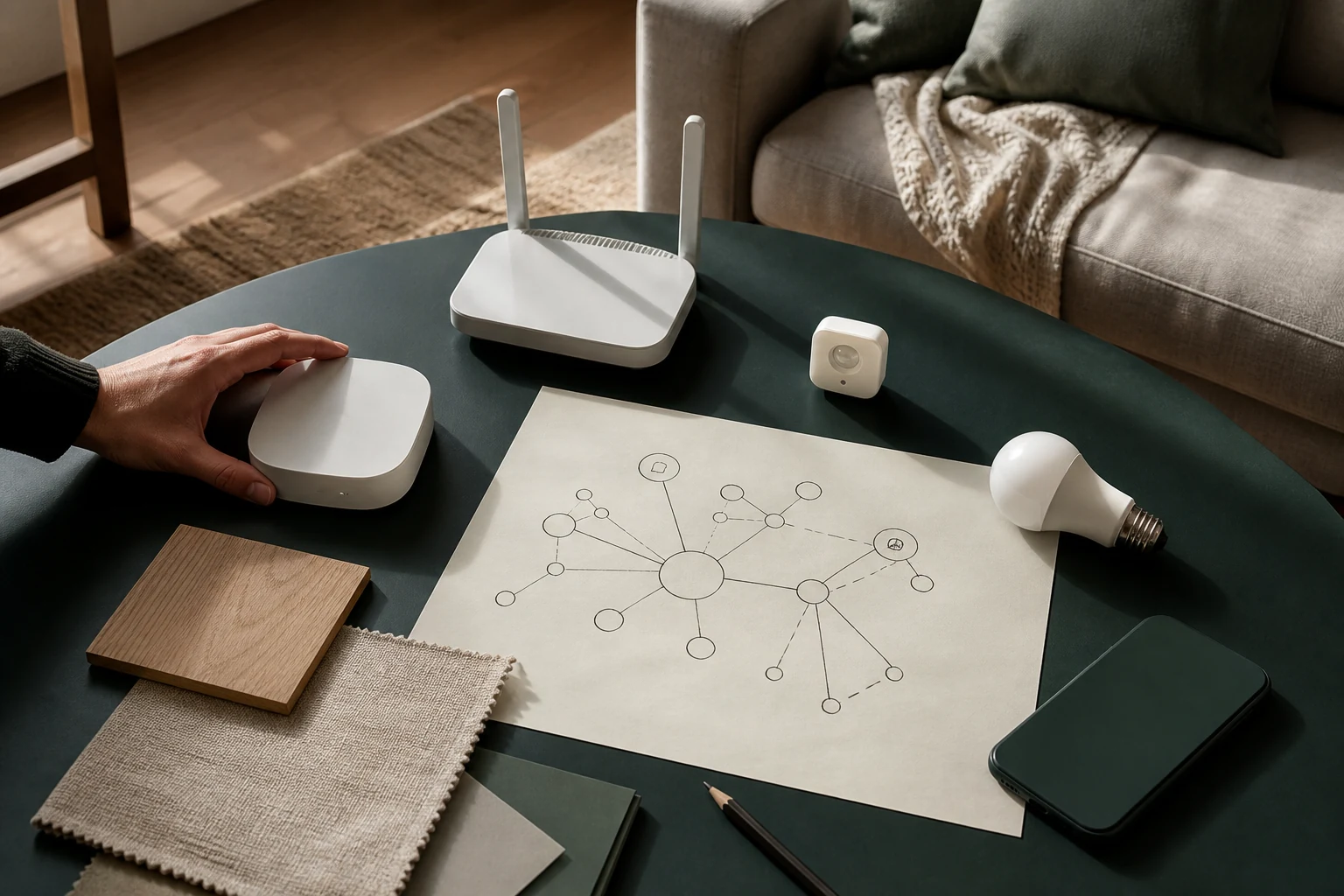
Matter is an application standard, not a new universal radio. Matter devices can communicate over Wi-Fi, Thread and Ethernet. Bluetooth Low Energy is commonly involved in commissioning, while the steady-state connection uses one of the IP networks. A Thread device therefore needs a Thread border router to connect its low-power mesh with the rest of the home network.
Draw the floor plan and mark the router, wired network points, Matter controllers and Thread border routers. Then mark dense walls, detached rooms and locations where devices will sit. A Wi-Fi camera at the edge of coverage has a coverage problem even if it is Matter certified. A Thread sensor network needs enough well-placed powered devices and border-router access to form a useful path.
Treat the latest specification as a roadmap
Matter 1.6, announced by the Alliance on June 17, 2026, improves setup and multi-ecosystem management rather than adding a long list of device categories. It introduces full NFC-based commissioning, a Joint Fabric option for coordinated administration, thermostat suggestions that preserve context, and clearer communication of capabilities and safety states.
Those additions are promising, but the specification's publication date is not the date every platform, controller and retail device supports them. The Alliance explicitly notes that implementation timelines vary. When buying now, verify the exact feature on the exact device and controller combination. “Matter 1.6 exists” and “this household can use Joint Fabric today” are different statements.
Design the manual layer before the automation
The most reliable smart home has graceful ways to become ordinary. Lights need understandable switches. A thermostat should remain usable at the wall. A smart lock needs an agreed recovery method. Guests should not need an account to use a bedside lamp.
For every proposed automation, write a fallback: what happens when the phone is flat, the internet is down, the cloud service changes or the household member who configured it is away? Local control does not remove every dependency, but it can keep essential interactions close to the home. The value is not technical purity; it is a room that remains legible.
Name by place and purpose
A small naming system prevents future confusion. Use room, object and position: “Kitchen pendant,” “Hall motion” or “Bedroom east blind.” Avoid brand names and vague labels such as “new plug.” Put important controllers and border routers on the same inventory sheet, with model, location, account owner and recovery code location.
Keep setup codes and ownership records somewhere the household can recover them without exposing them publicly. When selling or renting the home, factory-reset connected devices and transfer only what the next resident has agreed to receive.
Build one useful room first
Choose a room with a repeated problem, not the room that photographs best. A hallway may need predictable night lighting. A bedroom may need a physical scene button that closes blinds and lowers light. A utility area may benefit from leak alerts. Build that single loop, live with it for two weeks and count failures and unnecessary notifications.
Only then repeat the pattern. This approach reveals whether the primary app is understandable, whether another controller is needed and whether the network map reflects reality. Ten compatible devices purchased together create inventory. One resolved routine creates evidence.
| Question | Decision it should produce |
|---|---|
| Who manages the home? | Primary ecosystem, account owner and backup administrator |
| How does each device connect? | Wi-Fi, Thread or Ethernet coverage and controller placement |
| What must work without a phone? | Physical controls and local fallback behavior |
| Which features are needed now? | Exact compatibility checks, not future-standard assumptions |
| How will the system be recovered? | Codes, inventory, reset steps and ownership records |
Compatibility keeps options open. A plan decides which options belong in the home.
A one-page smart-home plan
- Name the primary ecosystem and a second household administrator.
- Mark router, wired points, controllers and Thread border routers.
- List the one routine each room genuinely needs.
- Define a physical or local fallback for every essential action.
- Verify device type, controller and platform feature support before purchase.
- Record device name, model, room and recovery-code location.
- Add one room, live with it, then expand.
Our selection frame
For a Matter device, we would look beyond the badge to the transport network, controller requirement, supported feature set in the household's chosen platform, update policy, physical controls, recovery process, security support and whether the product still performs its basic job when connectivity is interrupted.